Redesigning Wi-Fi Onboarding
for Hyatt Guests
Role
Lead Product Designer
Company
Hyatt Hotels Corporation
Timeline
2024–2025
Status
Designs complete · Handoff ready
Overview
What is this?
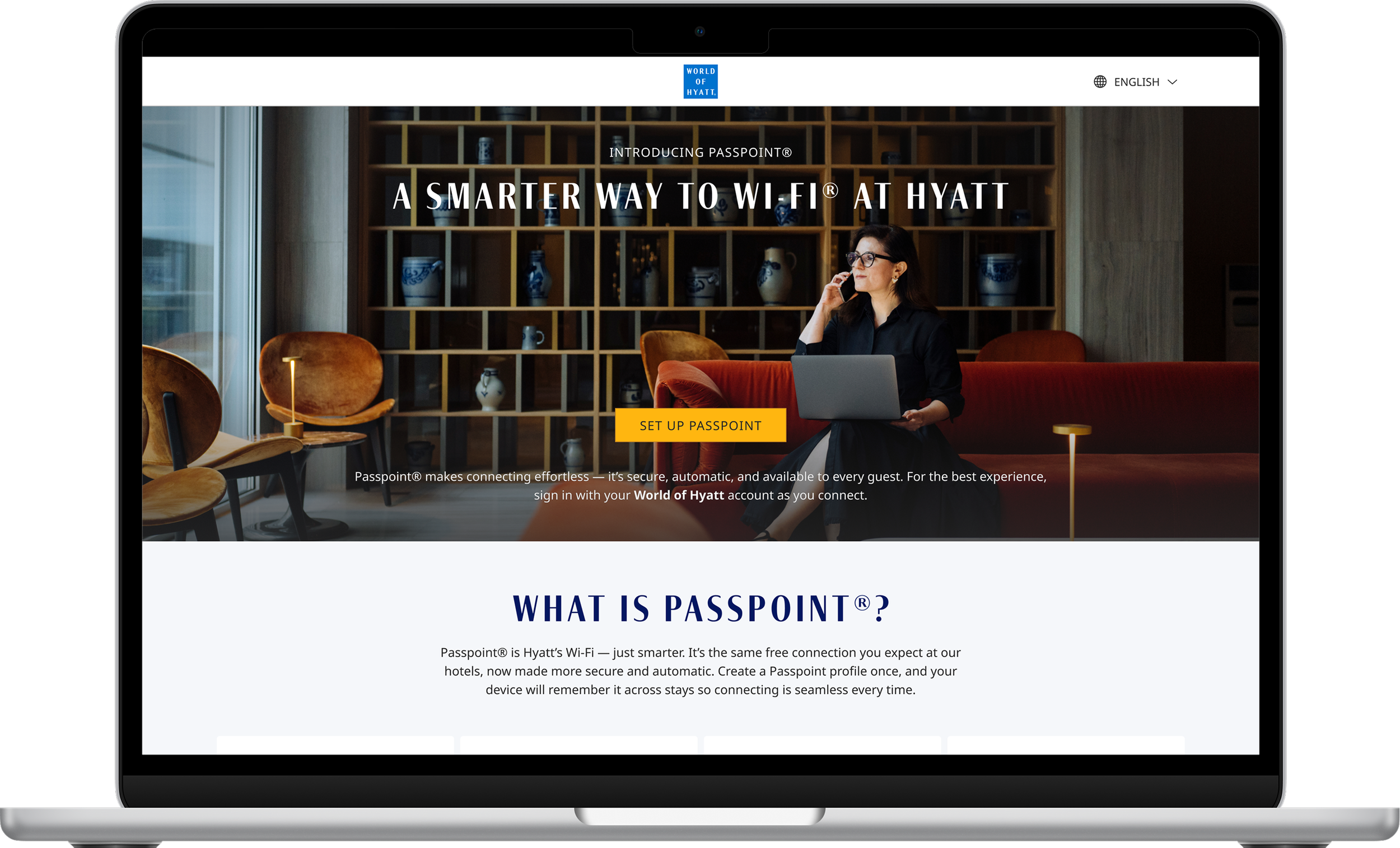
HotSpot 2.0 is a complete redesign of Hyatt's Wi-Fi onboarding experience — the flows guests go through to connect to the internet at any Hyatt property worldwide. What sounds simple is actually one of the most fragmented UX problems in hospitality: different device types, different operating systems, different network configurations, and different guest profiles all need to arrive at the same outcome — connected, with minimal friction.
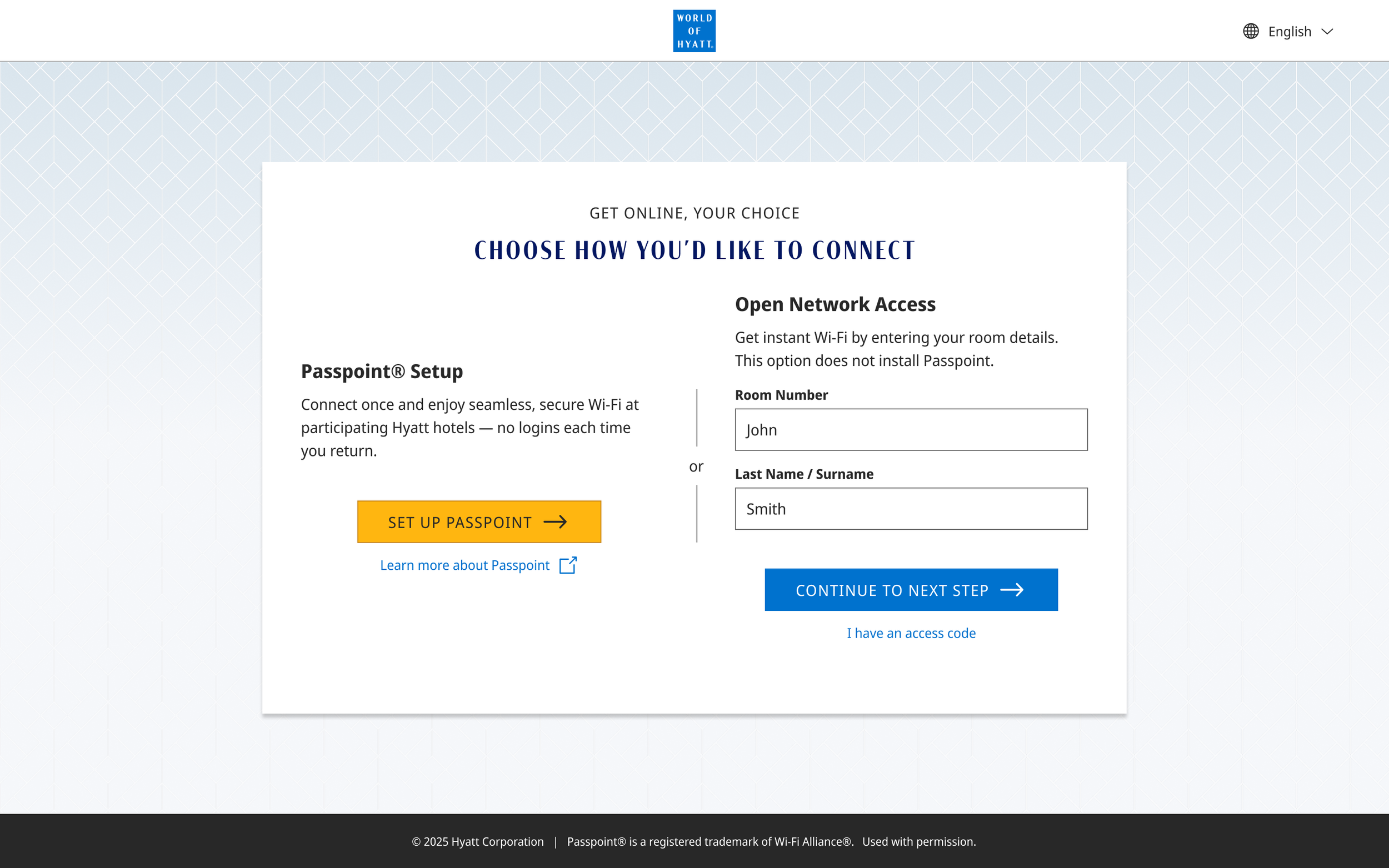
The project centered on Passpoint (HotSpot 2.0), a Wi-Fi standard that enables seamless, automatic connection for returning guests — but also required designing the full onboarding system for guests who encounter a captive portal, a Web OSU page, or the in-app Wi-Fi module in the World of Hyatt app for the first time.
The problem
One outcome, dozens of paths.
The legacy Wi-Fi onboarding experience was inconsistent across devices and platforms. A guest on iOS encountered a different flow than a guest on Windows. A World of Hyatt member had a different entry point than a non-member. Properties running Nomadix infrastructure handled authentication differently than those without it. There was no unified system — just a patchwork of separate solutions that had accumulated over time.
The challenge wasn't just visual consistency. It was designing a logical architecture that could account for every combination of device, OS, network type, guest status, and property configuration — and still feel simple to the person trying to get online before their morning call.
Key variables: iOS · Android · macOS · Windows · Captive portal · Web OSU · In-app module · Passpoint-capable device · Non-Passpoint device · WoH member · Non-member profile · PMS auth · Nomadix properties
Process
Research first, flows second.
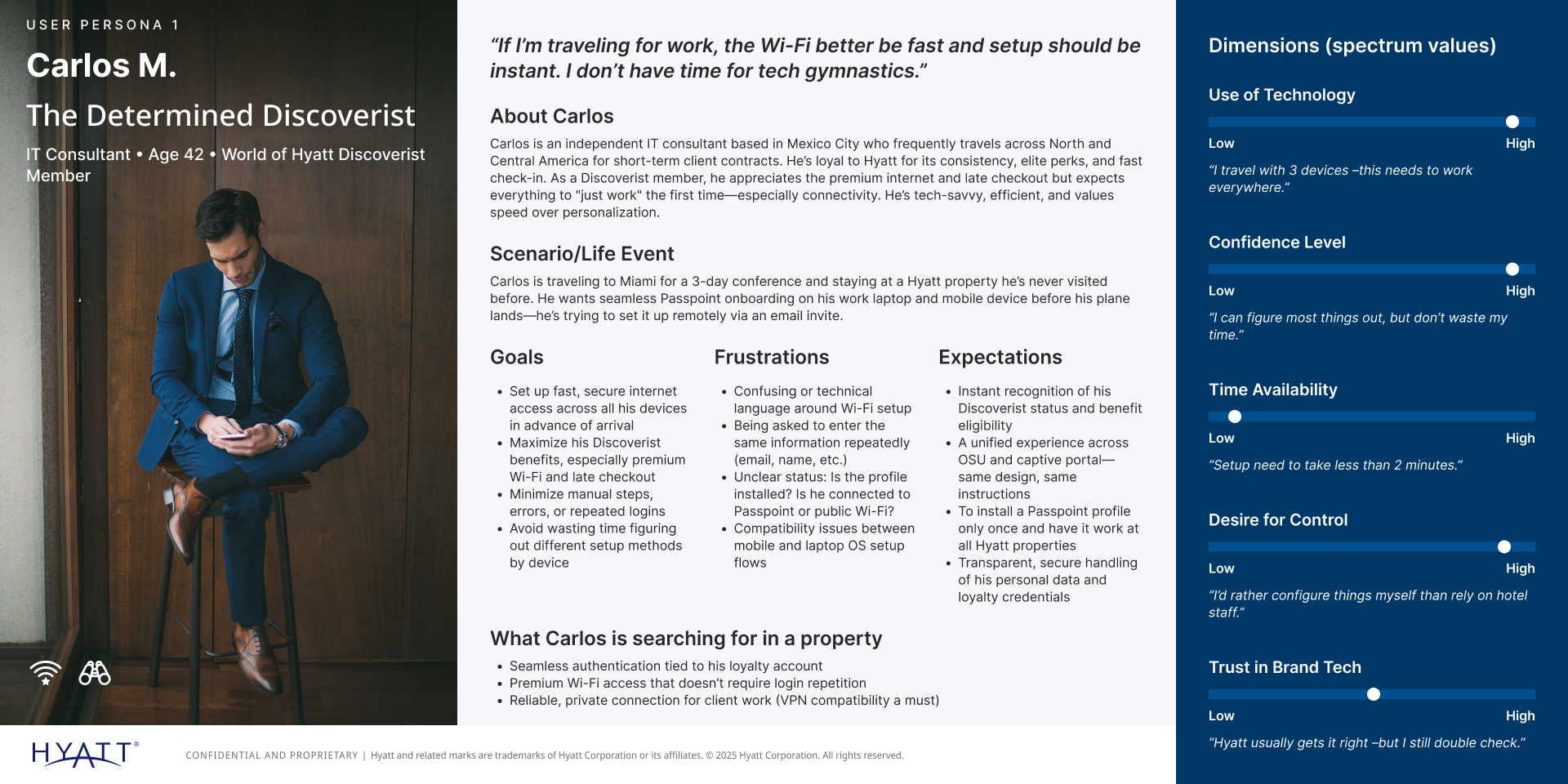
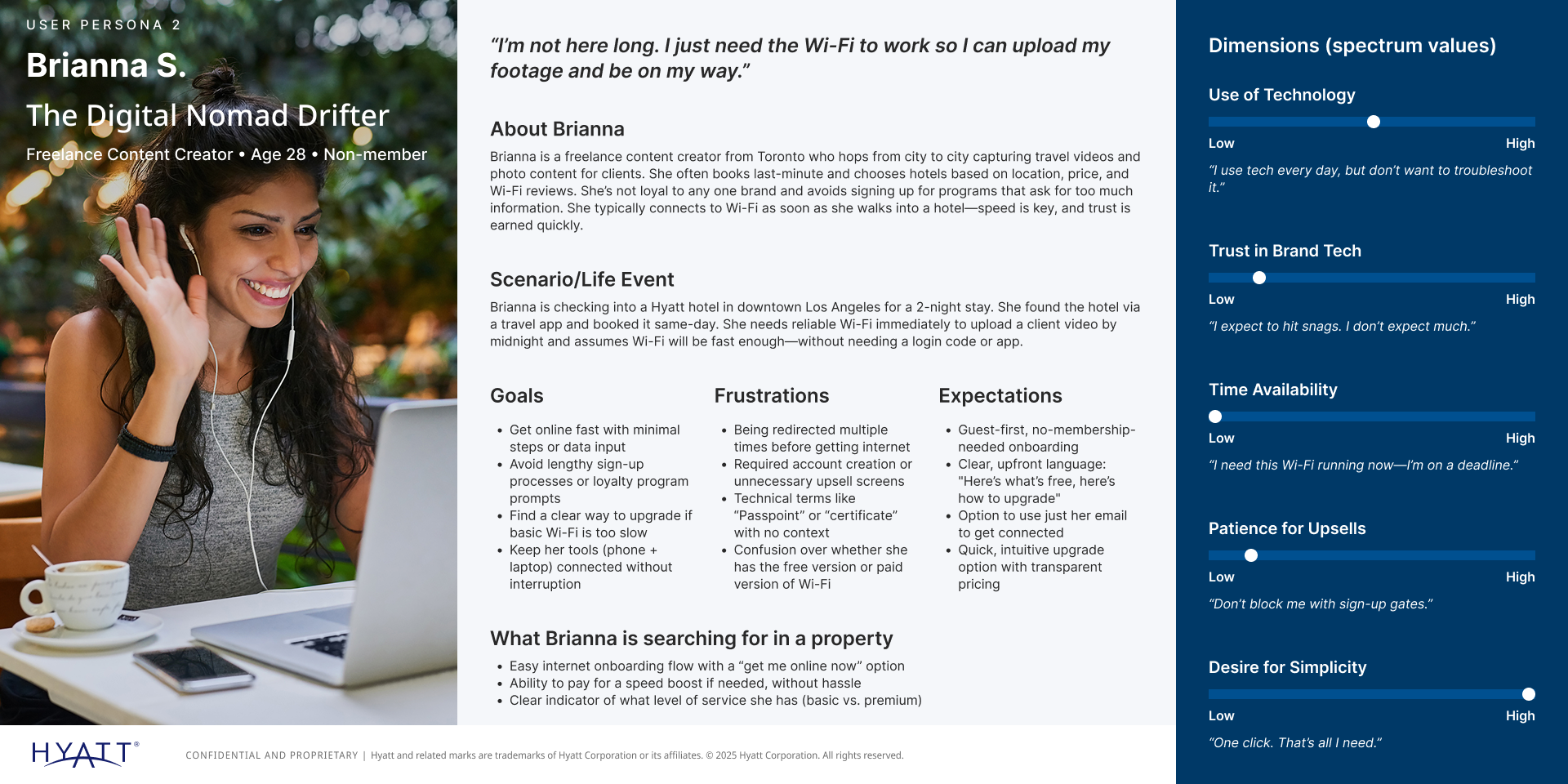
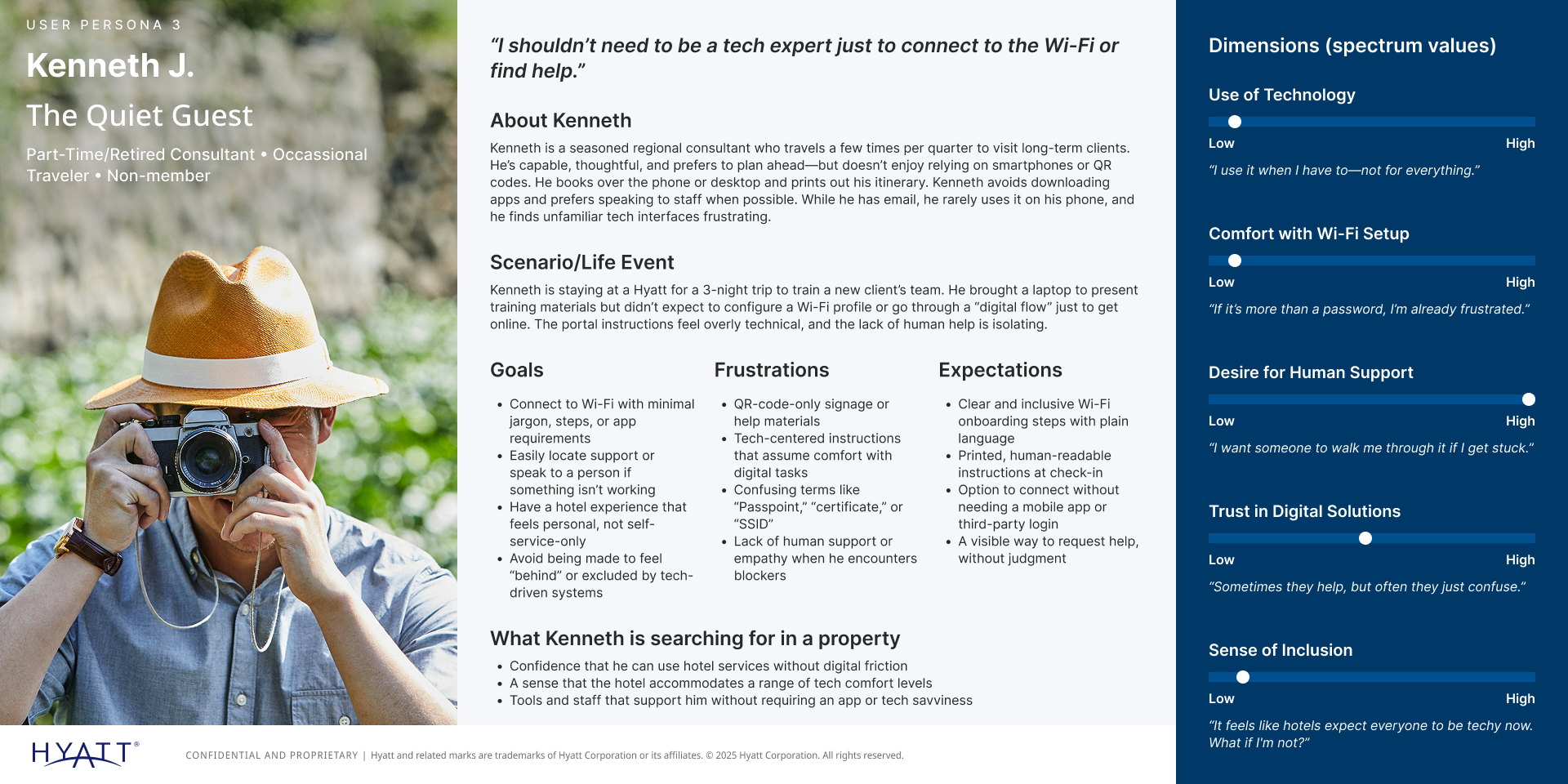
I started with research — usability sessions, guest interviews, and an audit of the existing flows across every device type. I built three personas to represent the range of guests: Carlos M. (the Determined Discoverist who wants Passpoint set up properly), Brianna S. (the Digital Nomad Drifter who just needs to connect fast), and Kenneth J. (the Quiet Guest who wants Wi-Fi to just work without any setup).
From there, I mapped three distinct user journeys — Web OSU setup, captive portal setup, and free Wi-Fi only — to understand where each persona would enter, where they'd get confused, and what success looked like for each. These became the architectural spine of the entire design system.
Design
A system for every scenario.
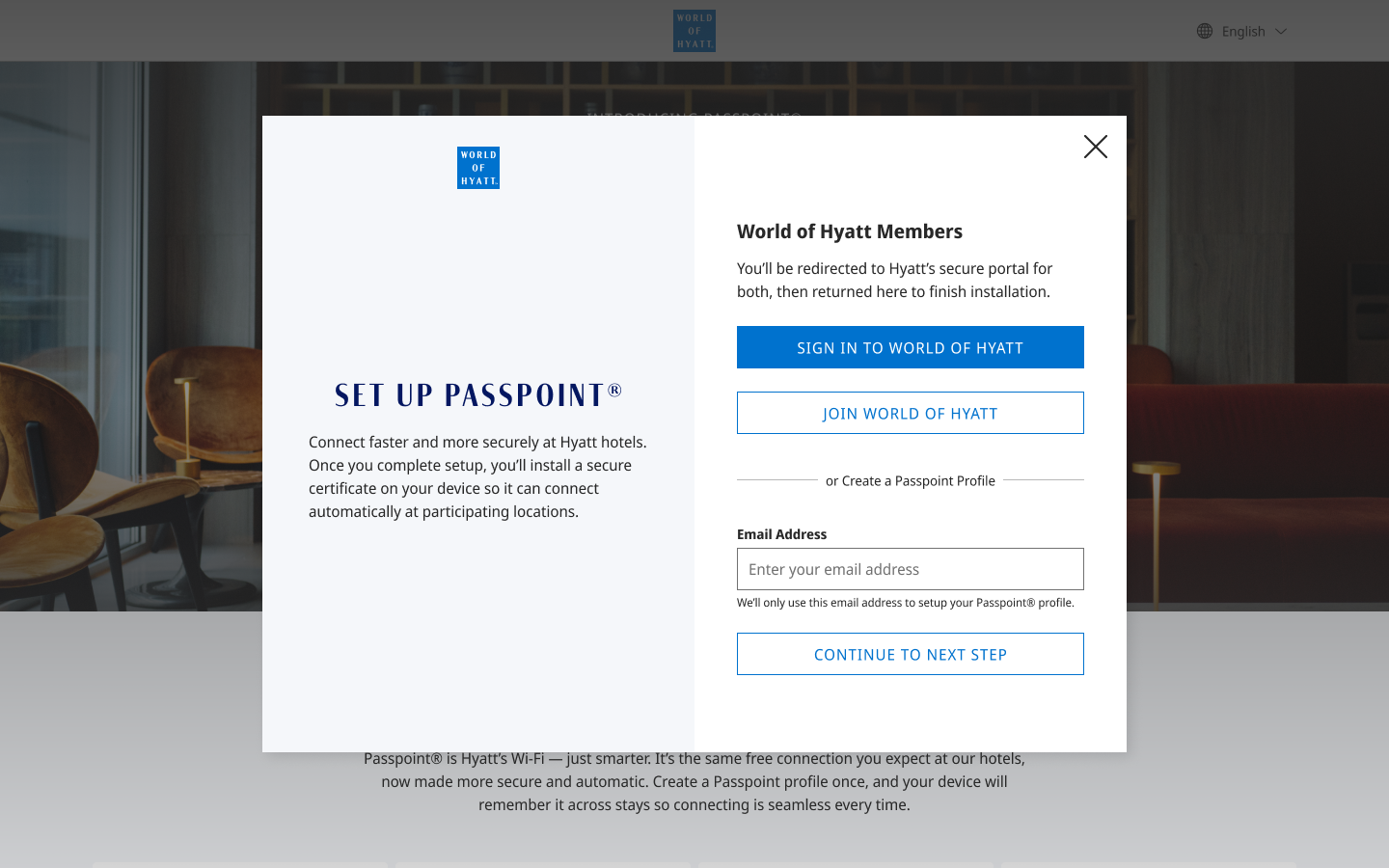
The design system I built for HotSpot 2.0 covers six distinct surface types: the in-app Wi-Fi module (World of Hyatt iOS and Android), the Web OSU landing page, the captive portal landing page, the Passpoint profile creation flow, the Passpoint profile download flow, and the set-up Passpoint modal. Each surface adapts to the guest's device and context while maintaining a consistent visual language and content strategy.
UX writing was central to this project. Connecting to Wi-Fi is a technical process — but guests shouldn't have to think about it that way. Every label, instruction, and error state was written to be plain, direct, and human. No jargon. No dead ends. Always a clear next step.
Outcome
The work was done.
Designs were completed and ready for engineering handoff. I was laid off one week before the scheduled handoff — the timing wasn't ideal, but the work was done. I'm still waiting to connect to @Hyatt_Passpoint at a Hyatt hotel someday. When I do, I'll know it was worth it.
"He takes the initiative to schedule workshops with customers, uncovering invaluable insights that guide his design decisions. By engaging directly with end users, Nelson ensures the designs not only meet their needs but also exceed their expectations."